
2025-11-21
Referencing at Bright
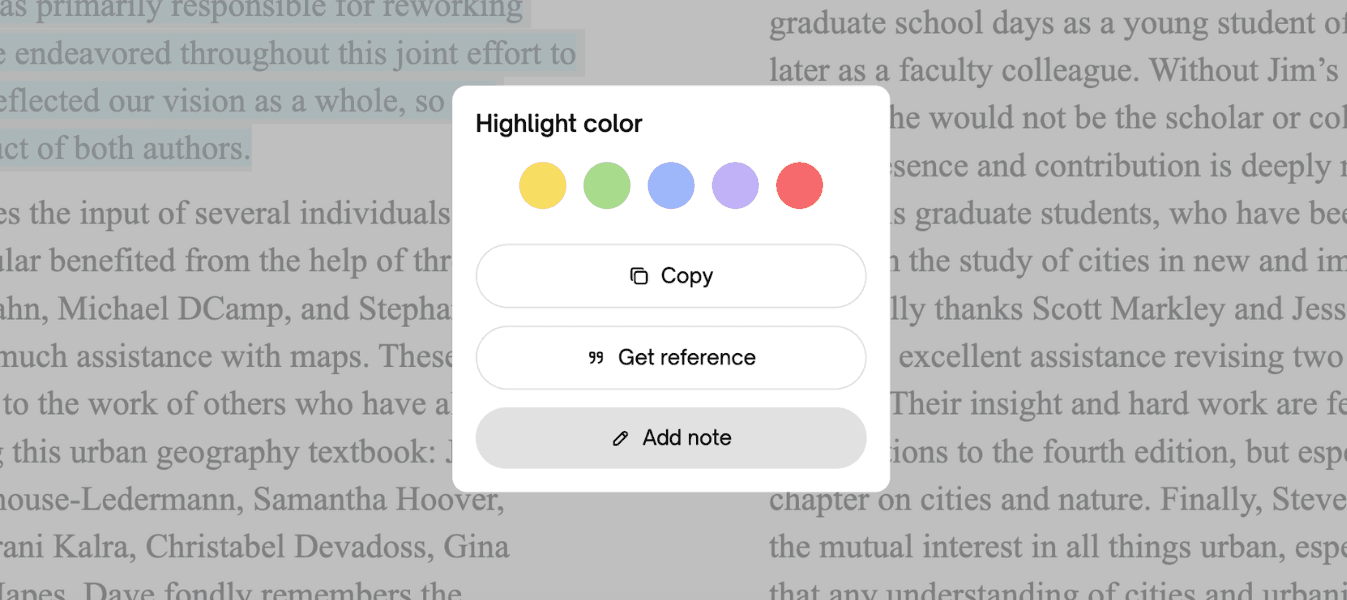
Accurate referencing is at the heart of academic integrity. When you use ideas, theories or direct quotations from your course literature, you need to show clearly where they come from. With Bright, your e-books are not just something you read – they become a reliable source you can reference correctly in every assignment, essay and report.
Referencing directly from Bright’s e-reader
When you read an e-book in Bright’s e-reader, you can highlight exactly the passage you want to reference. As soon as you mark the text, an 'Add' button appears. Then a modal appears where you can press 'Get reference'. By pressing this button, you instantly get a ready-made reference suggestion based on the details of your specific e-book: author, title, year, publisher and more. This means you do not have to manually search for the metadata or guess how the reference should look.
Support for multiple referencing styles
Different courses and institutions often require different referencing systems. To make your life easier, Bright shows you how to reference the same e-book in several of the most widely used styles. With one click you can see how your reference should look in systems such as Harvard, Oxford, APA, Vancouver and IEEE. You can then copy the version you need and paste it straight into your assignment, while being confident that it follows the correct structure.
From in-text citations to full reference lists
The reference suggestions in Bright help you both with in-text citations and with your final reference list. You can see how an in-text citation should be formatted, as well as how the full reference should look at the end of your document. This reduces the risk of small but important formatting errors and helps you keep your work consistent, no matter how many sources you use from Bright’s e-books.
Physical page numbers when the e-book supports it
Some e-books include information about the original physical page numbers from the printed version. When that is available, Bright passes this benefit on to you. In those cases, your reference can include the physical page number, just as if you were referencing a printed book. This is especially useful when your teacher, examiner or referencing guide asks you to include exact page numbers for quotations or specific sections.
A smoother path to academic integrity
By combining detailed e-book data with smart referencing tools, Bright removes much of the friction from the referencing process. Instead of spending time on formatting rules, you can focus on understanding the material and developing your own ideas – while still meeting the formal academic requirements. Referencing at Bright is designed to be simple, reliable and fully aligned with how students actually study today.
Tried Bright yet?
Bright is your all-in-one study platform that helps students study smarter and get better grades. Try it for free today.